

Site settings and domains
BalieSite
Site settings
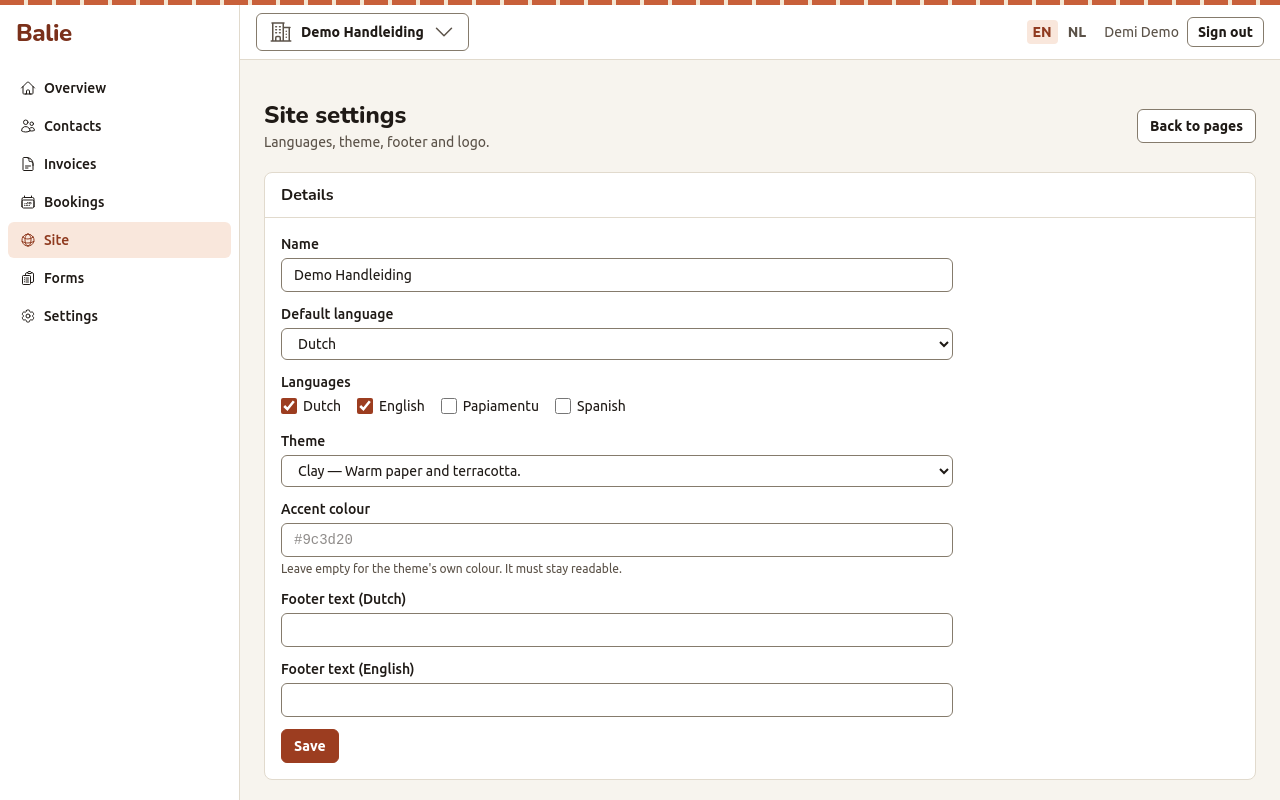
Section titled “Site settings”- Open Site and choose Site settings.
- Under Details, set:
- Name: the name of your site, shown in the header and the browser tab;
- Default language: the language visitors get first;
- Languages: tick every language your site is written in: Dutch, English, Papiamentu, Spanish. Visitors get a language switch when there is more than one. Write each page in each language you tick;
- Theme: the look of the site. Clay (warm paper and terracotta), Tide (cool sand and deep sea green) or Grove (cream paper and forest green);
- Accent colour: leave it empty for the theme’s own colour. Balie only accepts a colour that stays readable on the theme’s background;
- Footer text: a line at the bottom of every page.
- Choose Save.
Under Logo, choose Upload a logo (PNG or JPEG, up to 5 MB), pick the file and choose Save logo. You can also use an image you already uploaded: under Images, choose Use as logo. Remove logo takes it away.
Domains
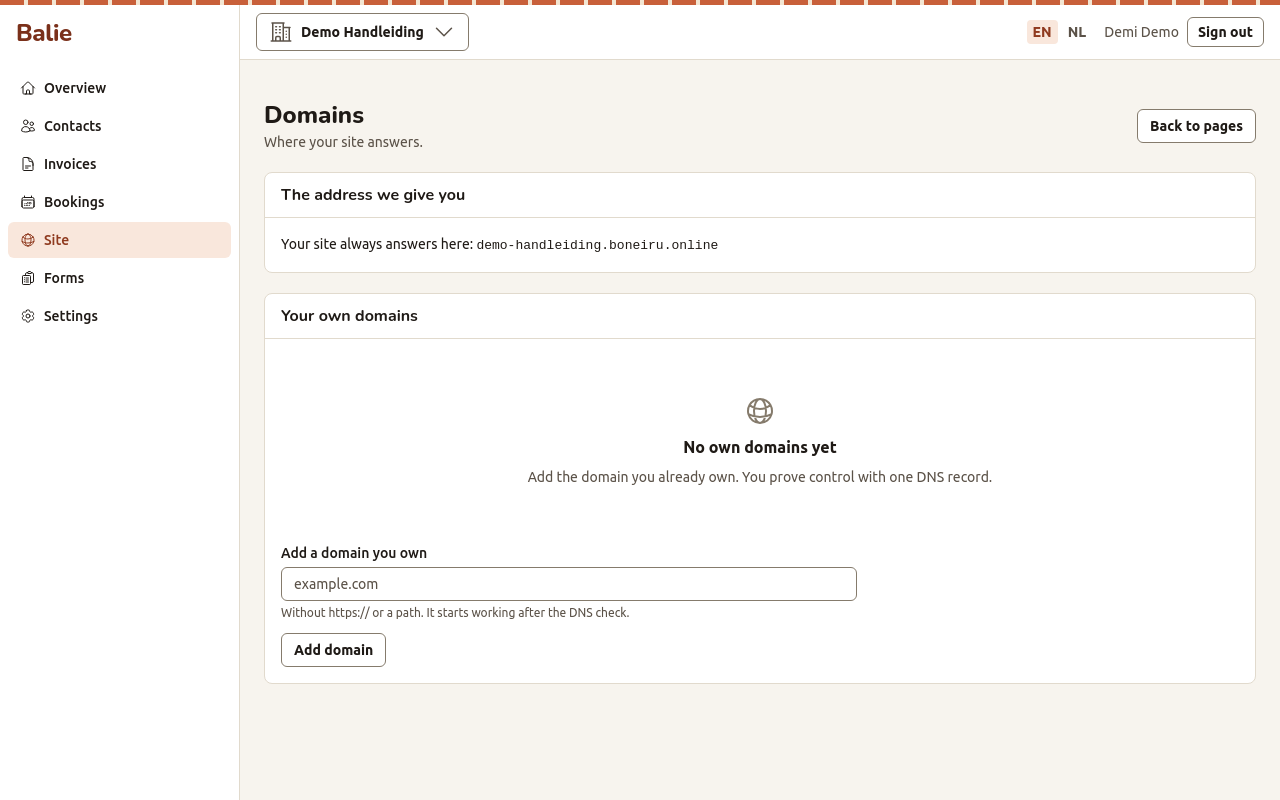
Section titled “Domains”Your site always answers at the address we give you, for example
kralendijk-koffie.boneiru.online. You can add a domain name you already own,
such as www.kralendijkkoffie.com.
Add your own domain
Section titled “Add your own domain”- Open Site and choose Domains.
- Under Add a domain you own, type the domain without
https://and without a path, for examplewww.example.com, and choose Add domain. - Balie shows Create this DNS record: with a Type (TXT), a Name and a Value. Create exactly this record at the company where you manage your domain name. See DNS records for your own domain.
- Wait a little, then choose Check the record. When Balie finds it, the domain shows Verified. Until then it shows Waiting for DNS: DNS changes can take from a few minutes to a day.
The TXT record proves that the domain is yours. To make the domain actually show your site, it must also point to us, and we must switch it on for you. Ask us when your domain is verified.
Primary domain
Section titled “Primary domain”With more than one domain, Make primary chooses the address shown to visitors. Remove takes a domain away; your site stops answering there.
Who can do this
Section titled “Who can do this”Owners and editors change the site settings and domains.