

Subscribed calendars
KantoorCalendar
A subscribed calendar is a calendar someone publishes as an address (often ending
in .ics, or starting with webcal://), which you follow in Kantoor. Its events
appear in your calendar and in your calendar apps. You cannot change them: they
come from where the calendar is published.
Examples: public holidays, a school or sports club calendar, or the calendar feed of a Balie booking resource.
Subscribe
Section titled “Subscribe”- Open Settings, Calendars.
- Under Subscribe to a calendar, paste the Address of the calendar. It may
start with
webcal://orhttps://. - Optionally fill in a Name (it Defaults to the website’s name) and choose a Colour.
- Under Refresh, choose how often Kantoor looks for changes.
- Leave Its events make me busy when others look for a time ticked for real appointments; untick it for a calendar that only informs you, such as public holidays.
- Choose Subscribe. Kantoor says Subscribed. The first refresh has started.
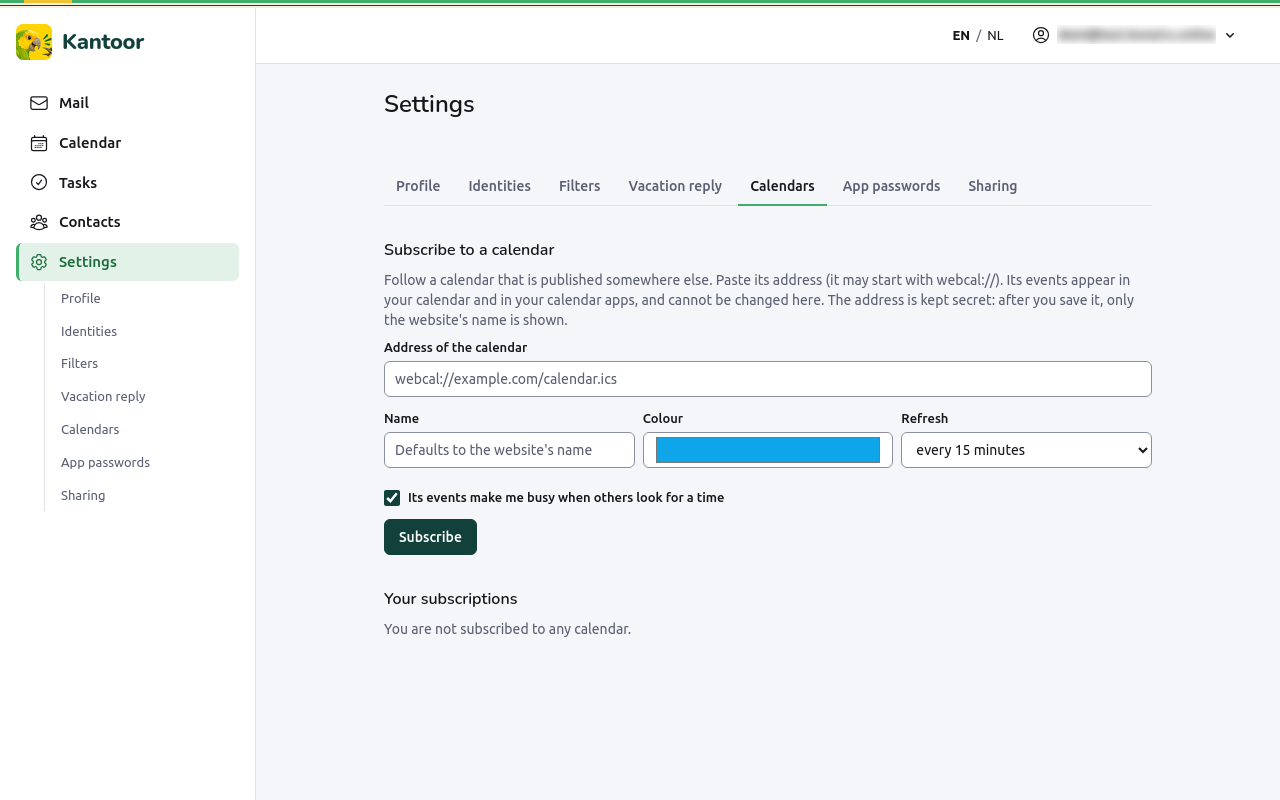
The address is kept secret: after you save it, Kantoor only shows the website’s name (From …), never the address.
Your subscriptions
Section titled “Your subscriptions”Your subscriptions shows each calendar with its state: up to date, refreshing, waiting for the first refresh, paused or not refreshing, and when it was last refreshed and how many events it has.
- Refresh now looks for changes at once.
- Pause stops the automatic refresh; Resume starts it again.
- Change lets you rename it, change the colour or how often it refreshes, or enter a new address (New address (leave empty to keep the saved one)).
- Remove ends the subscription; its events disappear from your calendars.
When a refresh fails, Kantoor shows the reason, for example The feed took too long to answer., keeps the events it already had, and tries again later by itself.
Limits
Section titled “Limits”- Only
httpsaddresses on the public internet, and only calendars that need no login. - At most 25 subscriptions, 5,000 events per calendar, 5 MB per calendar.
- Tasks in a feed are ignored.