

Books
TiendaBooks
With the Books module, Tienda keeps a double-entry ledger for your shop. Sales, payments, refunds, purchases, stock write-offs and cash differences are booked by themselves. The screens are under Finance.
Set up
Section titled “Set up”- Finance, Accounts: your chart of accounts. Each account has an Account number, a Name, a Kind and a Group. Export CSV downloads it.
- Finance, Automatic posting: Tienda compares your chart with the Standard chart of accounts and can add the missing accounts (names in Dutch or English). Here you choose which accounts sales, payments, refunds, purchases, write-offs and cash differences use, and switch automatic posting on.
- Finance, Periods: the bookkeeping periods (months, quarters, years). Lock a period when it is closed; locked periods cannot change.
- Optionally Account Groups (to bundle accounts on the chart), Cost Centers, and Tax Rates with the ledger account on which tax is booked.
Journal entries
Section titled “Journal entries”Finance, Journals lists every entry. New journal entry: a date, a subject, and at least two lines with an Account, optionally a Cost center, a Description, and a Debit or Credit amount. Debit and credit must be equal.
An entry in a locked period is Permanent. To correct an entry, Reverse it and make a new one.
Finance, Postings shows every debit and credit line. Choose an account to see its running balance.
Receipts and documents
Section titled “Receipts and documents”- Finance, Receipts: keep a photo of every receipt with the books (New receipt, a photo or PDF, the date and What was bought, and where).
- Finance, Documents: upload a purchase invoice or receipt, check the fields and book it as a journal entry. When the installation can read files automatically, a journal entry is proposed; you check it before it is booked.
Statements
Section titled “Statements”All three can be compared with an earlier period and downloaded as PDF (Download PDF):
- Balance Sheet: as of a date. It says whether assets equal liabilities plus equity.
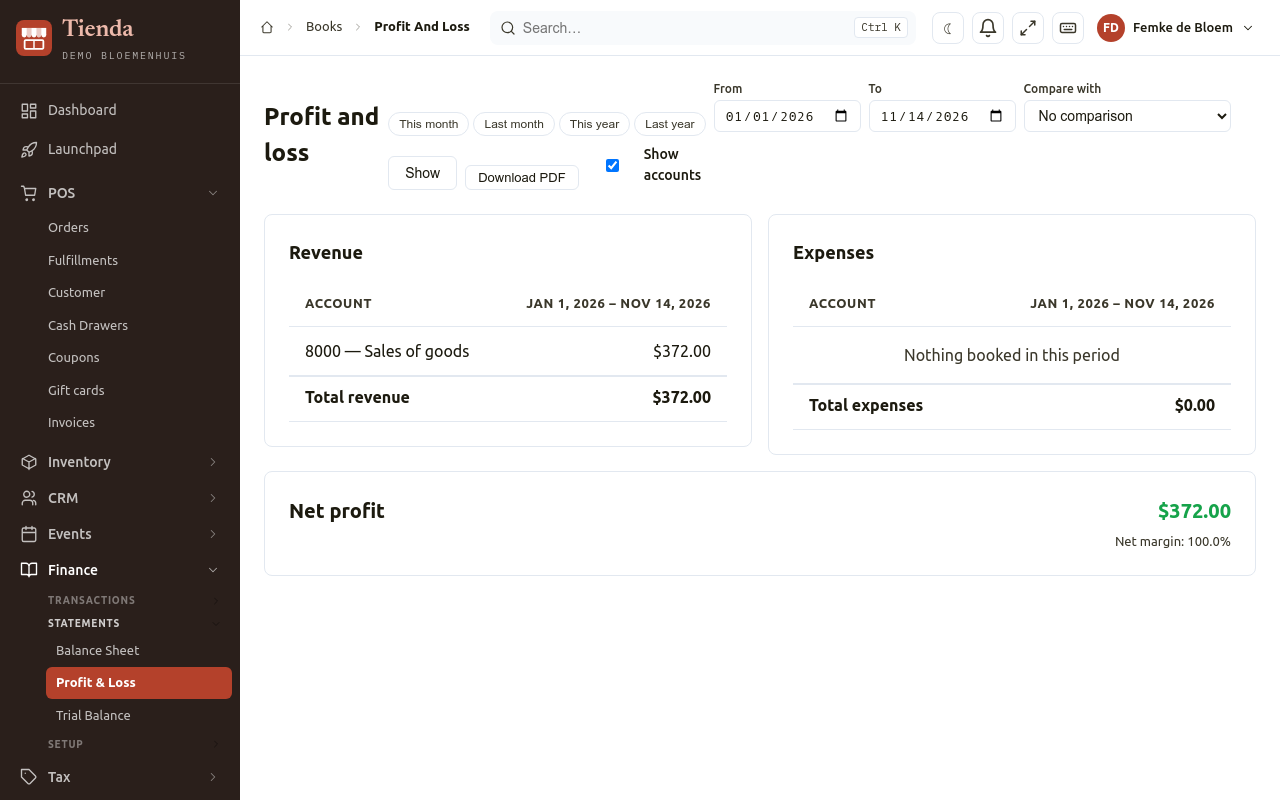
- Profit & Loss: revenue and costs between two dates, per cost center if you want, with the Net profit or Net loss and the net margin.
- Trial Balance: debit and credit per account. It says whether they are equal.
Accounting software
Section titled “Accounting software”To send invoices and customers to QuickBooks Online or InvoiceNinja instead, see Integrations.