

Coupons and gift cards
TiendaPoint of sale
Coupons
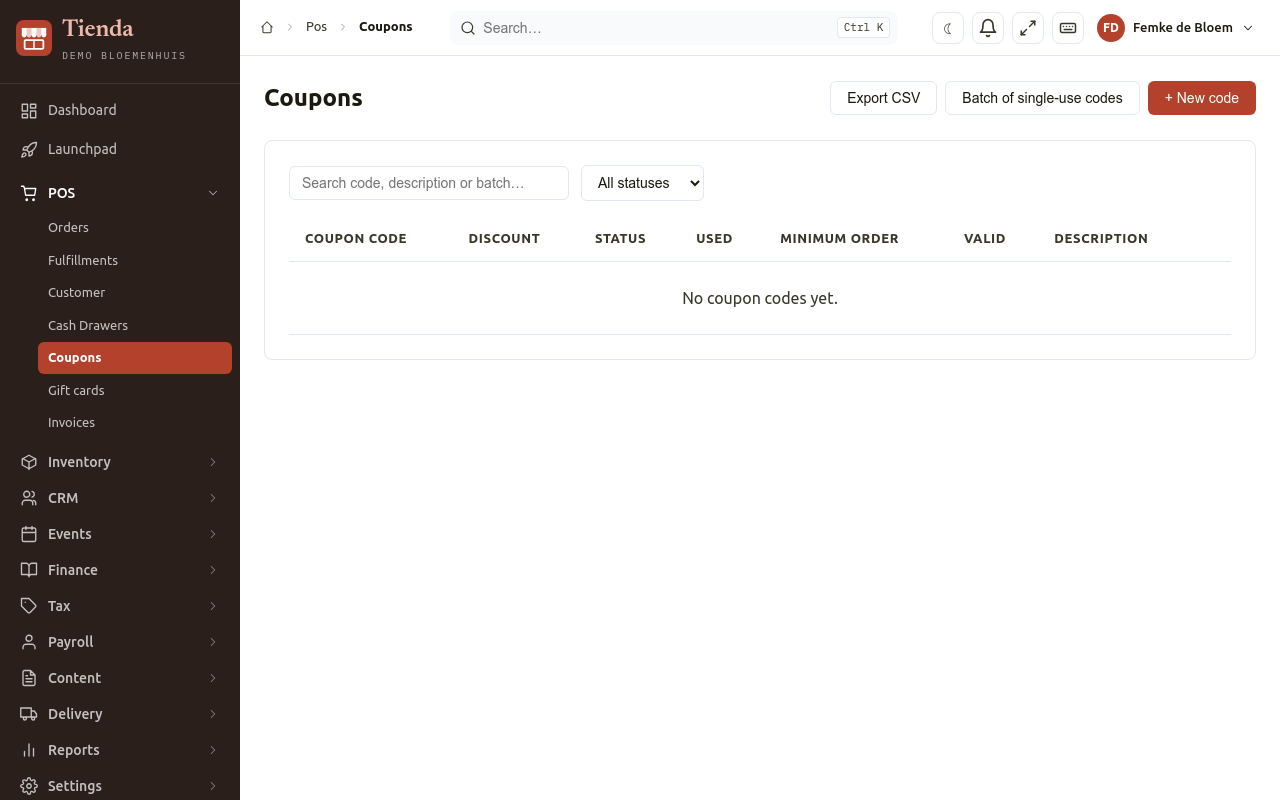
Section titled “Coupons”A coupon is a code that gives a discount, on the New Order form and in the web shop.
Make a coupon code
Section titled “Make a coupon code”- Open POS, Coupons and choose New code.
- Fill in:
- Coupon code: Leave empty to have one made;
- Kind of discount: Fixed amount or Percentage, and the Amount or Percentage (%);
- Minimum order: the smallest order the code works for (optional);
- Times it can be used: a number, or No limit;
- Valid from and Valid through;
- a Description for yourself;
- Active.
- Choose Save.
A batch of single-use codes
Section titled “A batch of single-use codes”For a mailing or a flyer, make many codes at once: choose Batch of single-use codes, set the Number of codes and the terms, and save. Every code in the batch can be used once and has the same terms. Tienda shows the codes, ready to hand out; Copy copies them, and Export CSV downloads them.
Manage codes
Section titled “Manage codes”The list shows each Coupon code, its Discount, how often it was Used, its Minimum order and when it is Valid. Switch off stops a code without deleting it. A code that has been used cannot change its code or value any more.
At the counter you type the code on the New Order form (Coupon code, Apply); online the customer types it in the web shop checkout.
Gift cards
Section titled “Gift cards”A gift card holds an amount that the holder spends in your shop. The code is the card: whoever has it can spend it.
Issue a gift card
Section titled “Issue a gift card”- Open POS, Gift cards and choose Issue gift card.
- Fill in the Amount, the Number of cards, the validity (Standard, Never expires or On a date…), a Recipient and a Note.
- Choose whether The card is sold (record the sale): then an order with the payment is made, so the money is in the day’s takings; choose the Payment method. Otherwise the card is issued without a sale, for example as a present from the shop or as a replacement.
- Save. Tienda shows the code once in full. Write it on the card now; later lists show only the last four characters.
New cards are valid for (months) at the top sets the standard validity, or Never expires.
Use a gift card
Section titled “Use a gift card”At the counter, on the New Order form, under Gift card, type the code and choose Use. Leave the amount empty to use as much as the card holds; the rest stays on the card. In the web shop the customer types the code at checkout.
Look after cards
Section titled “Look after cards”Open a card (View) to see its History: every sale, use and correction with the Balance after. There you can Top up, Correct balance, Block a lost card or Unblock it. Outstanding balance at the top is the total of all balances: what your shop still owes card holders.