

Customers and CRM
TiendaCRM
The CRM keeps everyone your shop deals with: customers, companies, members of a club or a class. The screens are under CRM.
Contacts
Section titled “Contacts”CRM, Contacts lists everyone, searchable by name, e-mail or phone. Export CSV downloads the list.
New contact: First Name, Last Name, Email, Phone, a Company, Notes, and Does not want newsletters for someone who asked not to get them.
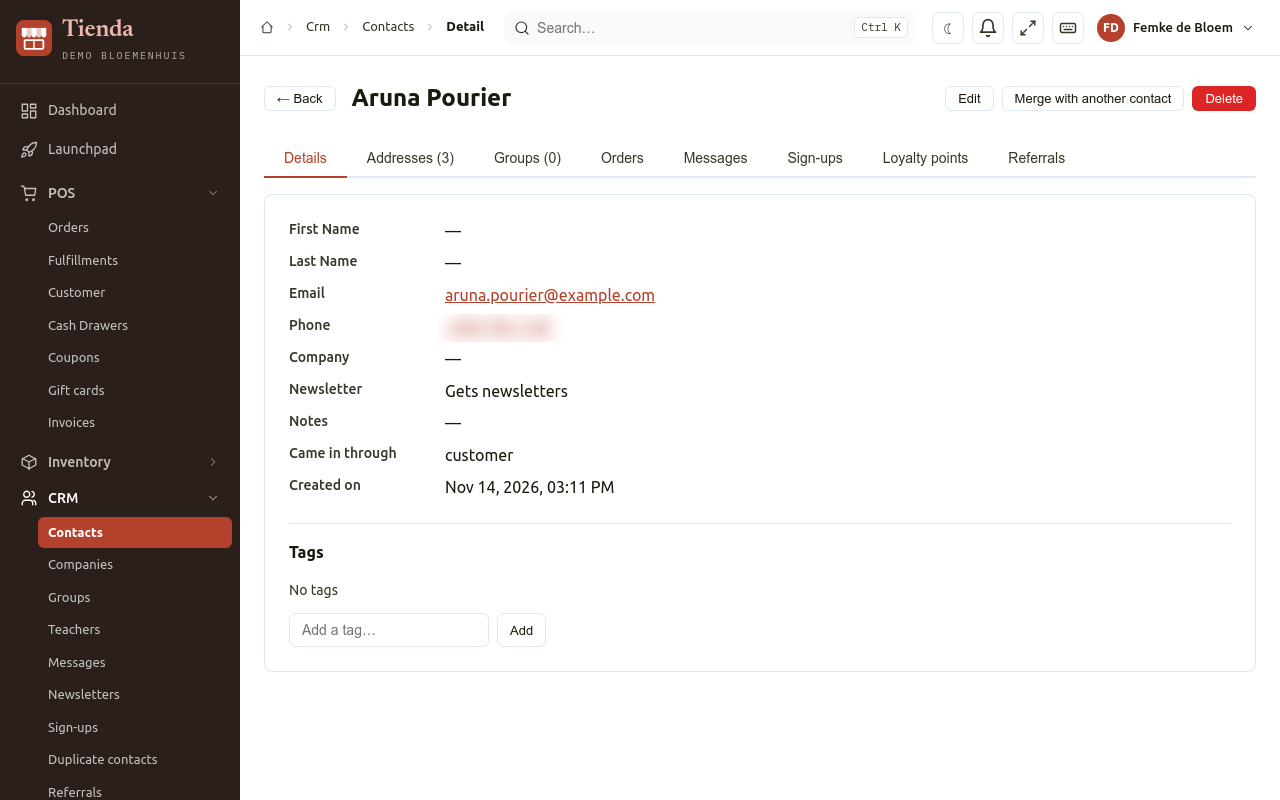
Open a contact to see everything about them, in tabs: Details, Addresses, Groups, Orders, Messages, Sign-ups, Loyalty points and Referrals. You can add Tags, such as “wholesale” or “VIP”.
Companies
Section titled “Companies”CRM, Companies: a Name, VAT number and CoC number, invoice and delivery addresses, and the contacts who work there (Add contact). A contact belongs to one company.
Groups and classes
Section titled “Groups and classes”CRM, Groups gathers contacts, for example a club, a course or the subscribers of a newsletter. Open a group to Add member and to Send newsletter to it.
A group can have Class sessions (View class sessions): dates with their Teachers, where you record Attendance (Present or Absent) and choose Save attendance. CRM, Teachers lists the teachers; a teacher is a contact.
Messages
Section titled “Messages”CRM, Messages shows everything the shop sent to contacts and everything contacts wrote back, newest first. New message sends a message to one contact by E-mail or WhatsApp.
Newsletters
Section titled “Newsletters”A newsletter goes to the members of one group who have an e-mail address and did not unsubscribe.
- CRM, Newsletters, New newsletter.
- Choose the Group, write the Subject and the Text (plain text; empty lines become paragraphs).
- Save as draft, or Send. Tienda says how many members it goes to.
Every mail has an unsubscribe link, and replies arrive under Messages. The list shows how many were sent and how many failed.
Sign-up forms
Section titled “Sign-up forms”A sign-up form collects registrations through a public link, for example for an open day. It is under Events, Sign-up Templates.
- New form: a Name, the Address (slug) (the last part of the public link) and a Description.
- Under Contact details, choose which contact details to Ask, and whether they are Required.
- Under Your own questions, Add question: the Question, the Kind of answer, Choices, and the Field name (the column name in the export).
- Save, then Open the form.
Each sign-up is stored with a contact in your CRM; a known e-mail address or phone number reuses that contact. CRM, Sign-ups lists what people filled in, with Show answers and Export CSV.
Duplicate contacts
Section titled “Duplicate contacts”CRM, Duplicate contacts finds contacts with the same e-mail address or phone number. Choose which one stays (Keep) and choose Merge: the orders, loyalty points, subscriptions, addresses, messages and group memberships of the others move to it, and the others are removed. This cannot be undone. Not the same person keeps them apart.
You can also merge from a contact: Merge with another contact.
Address issues
Section titled “Address issues”CRM, Address Issues lists addresses that could not be found on the map, so they cannot be put on a delivery route. Fix location: correct the address and look it up again (Save address and look up again), or place the pin on the map yourself and choose Save location.